Updating a score
Preamble
For the first time in Mozart 17 a single .mz file can contain a Score and all the Instrumental Parts belonging to it such that editing operations on the Score or an Instrumental Part are automatically reflected in the Parts and the Score respectively.
This structure and how to create such a score from scratch are discussed in the article:
Working with a Score and Parts.
The current article investigates, by means of an example, what must be done to a very old Mozart score to make it conform to the new format, and include all the Instumental parts, neatly formatted and ready to print from the single .mz document.
The Starting Point
In 1997 I created an arrangement of "Jealousy", a tango by Jacob Gade, for an SATB Saxophone Quartet. The files, saved by Mozart 2, were:
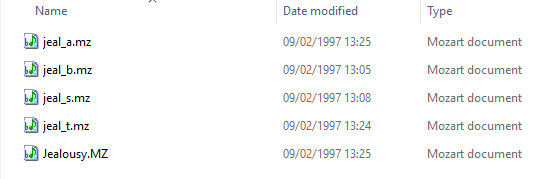
comprising parts for alto, baritone, soprano, and tenor saxes, and finally the score. We'll only need the score and the first thing is to make a copy to work on.
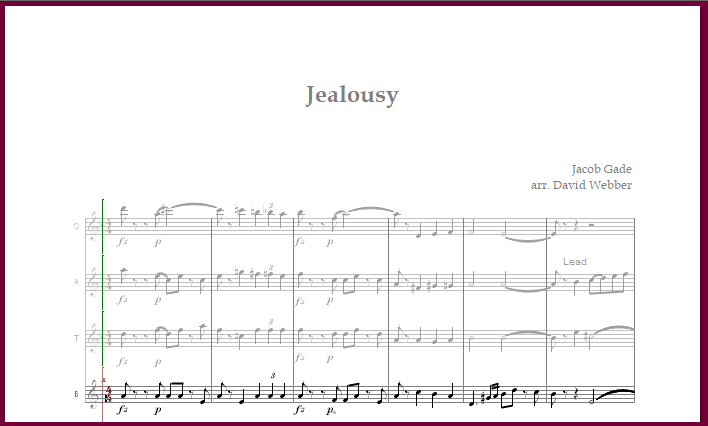
Mozart 2, with which this score was constructed, was nowhere near as advanced as the current Mozart, and a quick glance at the score just emphasises this:

More recent scores will need less in the way of updating, but this extreme example provides a useful illustration of what must be done.
Instrumentation
The first task (necessary here only because this very early file pre-dates Mozart's introduction of the instrument database) is to set the instrumentaion, and initialise the score, as follows:

- Replace the instrumentation (in this case initially "<Treble staff>")
with the desired instruments;
Then:

- Transpose to the desired key (Score/Transpose Piece)
- Switch to viewing at written pitch (Score/Written Pitch).
to obtain:
Text fields

More recent files may already include them, but early files like this did not include "text fields". It is useful to add some:
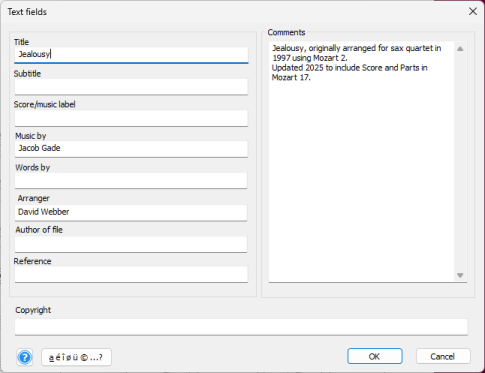
Note that the "Score/music label" is deliberately left blank. See below. The comments are just for personal future reference, they will not be shown.
Titling
Having defined the text fields, we can now attend to the titling. The title itself and the composer attribution can be reset to use the standard text fonts designed for this purpose in more recent Mozart formats (as they are or modified to taste). But more importantly a "Label" should be added including the text "&N".
Here's a typical configuration:

As it is, the label text indicated is empty, and nothing will print. However "&N" will translate into the part label on each Instrumental Part. Text here on the score will be whatever was inserted in the Label text field above, which is often conveniently left empty.
As header text on 2nd and subsequent pages, it is convenient to include something like "&T - &N - p&p" which will produce:
"<title> - <instrumental part name> - p<page-number>".
Score format
As this is a very old piece and I'm preparing it for print, I tidy up the page format of the score ln various ways. All of this is optional:
- Check the music font size (stave height) ~13pt for the score;
- Ensure all triplets are bracketed;
- Remove bar numbering and add Rehearsal Letters;
- Add line breaks to make the final system cross the whole page;
- Align dynamics under notes (I'm fussier about this than I used to be);
Now that the score is in reasonable shape it is time to define the Instrumental Parts.
Instrumental Parts

This command will invite you to add a conductor part if there isn't one already. Accept.
It may then tell you that this is a "stand-alone" piece of music and invite you to turn it into a score. Again, accept.
At this point you are invited to define Instrumental Parts:
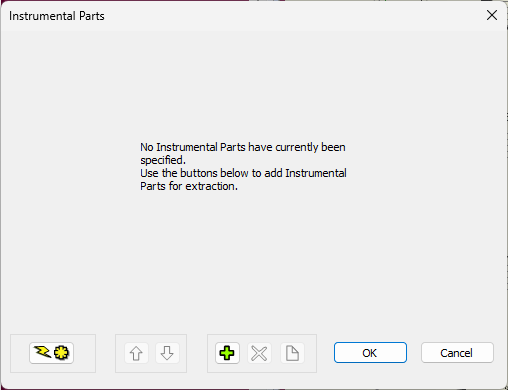
Using the auto-generate button  creates a set of parts, one from each stave on the score:

(In this case that suffices but, if necessary, custom Instrumental Parts may be added with:
 .)
.)
The Instrumental Part names (in the left hand column) have been adopted from the stave labels. In this case they will not make adequate Instrumental Part labels, and so they should be edited here in situ:
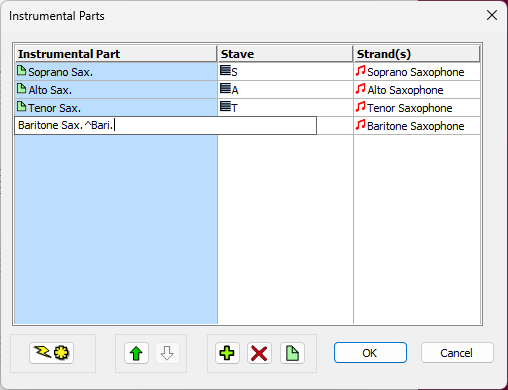
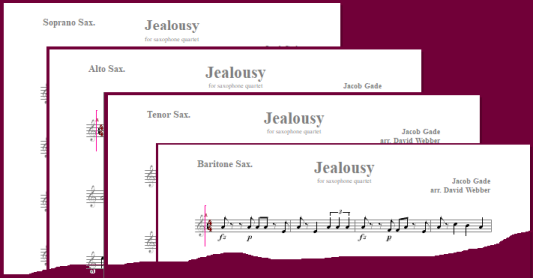
We are now in a position to view and format the parts.
Format the 1st part


Open a window on the 1st part. And now format it. Aspects to be set include:
- The music font size (around 20pt is normal for an Instrumental Part)
- Page margins top,botton,left,right
- Stave spacing
- The text font size for each text box
- The positioning (offset form anchor) of each text box
- Line breaks such that the final line uses the whole of the available width
Note that all of these aspects are independent of what has already been set in the score.


As a starting point for all parts, match their format to the one which has just been edited. Now all that remains to do, is to tweak the format of each of the other parts.
For each part in turn...
We have already set the format of all parts to match that of the first one.

At this stage we therefore have matching parts (which may nonetheless differ from the score), and...
- The margins (top, bottom, left, right) match in all parts;
- The stave spacing is the same in all parts;
- The locations of text boxes match in all parts;
- The note spacing in each part will differ in general from that in the score
- Each part will have a multiple bars rest replacing any consecutive bars rest in the score;
- Line breaks in each part will be different, and different from those in the score.
So what's still to do?
Each part may need to be made to fit neatly on the page or pages. There are a number of options available to facilitate this, and one can use any or all. In any Instrumental Part:
- Hard line breaks (or 'keep bars together') can be inserted anywhere.
- Layout: Note spacing the global note spacing can be adjusted.
- The stave width (and left/right margins) can be adjusted.
- The top and bottom margins can be adjusted (allowing more/fewer lines on a page)
- The stave spacing can be adjusted (also allowing more/fewer lines on a page)
- Check that the label text box is positioned adequately for the part with the longest name! (Its position relative to its anchor is the same in all parts but may be different from the score.)
None of the above* will affect the score or the other Instrumetal Parts. Some experimentation with all of these may be beneficial on each part. Saving the file will remember all of these adjustments in each part.
*Note, however, that adding or removing space from between individual notes will also apply to the score and can make a difference there.
And in conclusion
The above is a quick run-through of the operations needed to bring an old (in my case very old) Mozart .mz score to the point where Mozart can now show and print both the score and neatly formattted Instrumental parts from a single .mz file. This capability is probably the biggest step forward in Mozart for some time.
 Copyright © 1995-2026 David Webber.